Digital Menu for Restaurants: How QR Table Ordering Works and How to Set One Up
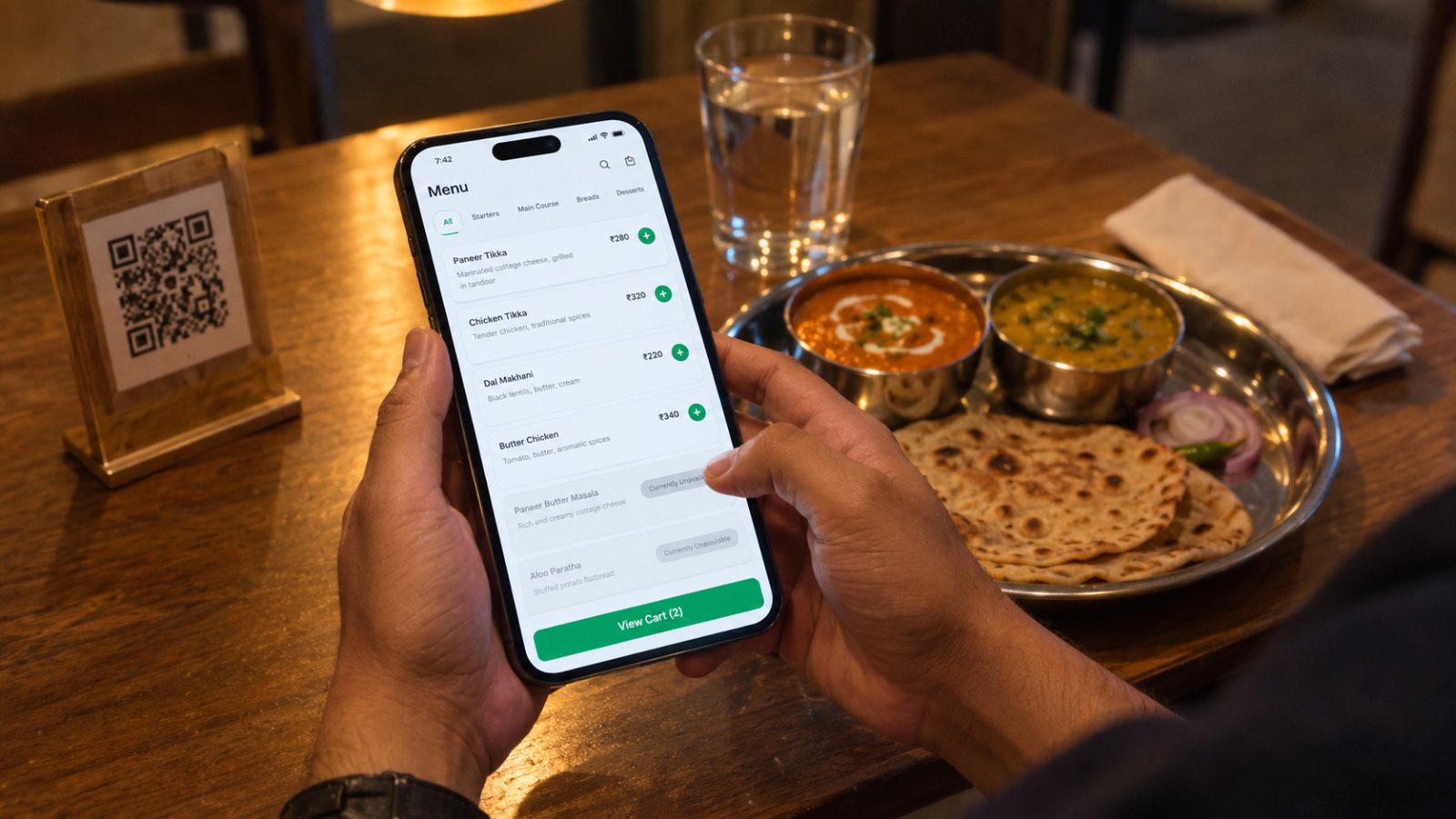
digital menu for restaurant on phone
Table 7 scans, browses, orders. The kitchen knows before anyone walks over.
On a full Saturday, your captain walks to each table about four times before the bill — once with the menu, once for the order, once for the second round, once because table six has been waving.
Three of those four trips exist only because the menu is on paper.
That's the real case for a digital menu, and it has little to do with looking modern. A guest who can see your live menu on their own phone orders their second round when they want it, not when somebody notices them.
Below: how QR ordering works, what it earns, what it costs in India, whether guests will use it, and seven steps to set one up in an afternoon.
I build restaurant software — CurryIQ — so read this knowing where I stand. I've written the honest version anyway, including where a digital menu is the wrong call.
The short version
- A digital menu is your live menu on the guest's phone, opened by scanning a QR code at the table. No app to download.
- A table ordering system goes further: the guest places the order, and it lands in your POS and kitchen.
- A digital menu and a digital menu board are different things. The board is a TV on your wall.
- In India it costs ₹0–₹500 a month bundled with your POS, plus about ₹15 a QR sticker.
- It earns through second orders, not bigger first ones.
- Setup takes an afternoon: software that takes orders, load the menu, one code per table, pilot six tables for a week.
START FREE — NO CARD NEEDED
Put your menu on your guests' phones this week
QR ordering, table management and GST-correct billing in one system. Setup takes under ten minutes.
What is a digital menu for a restaurant?
A digital menu for a restaurant is your menu hosted online and opened on the guest's own phone, usually by scanning a QR code on the table. It shows live prices and live availability, and you change it from your phone in ten seconds instead of reprinting three hundred cards.
Three things stop being your problem. Reprinting — paneer goes up ₹20 and you edit one field. "Sorry, that's finished" — mark an item unavailable at 8pm and it vanishes from every table at once. Menus that walk off — a QR sticker costs about ₹15.
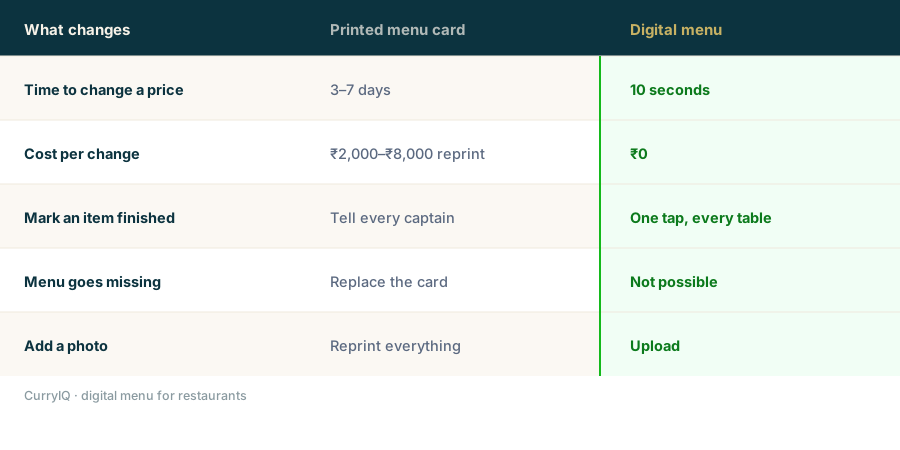
The difference isn't the screen. It's how long a change takes to reach the table.
What is a table ordering system for restaurants?
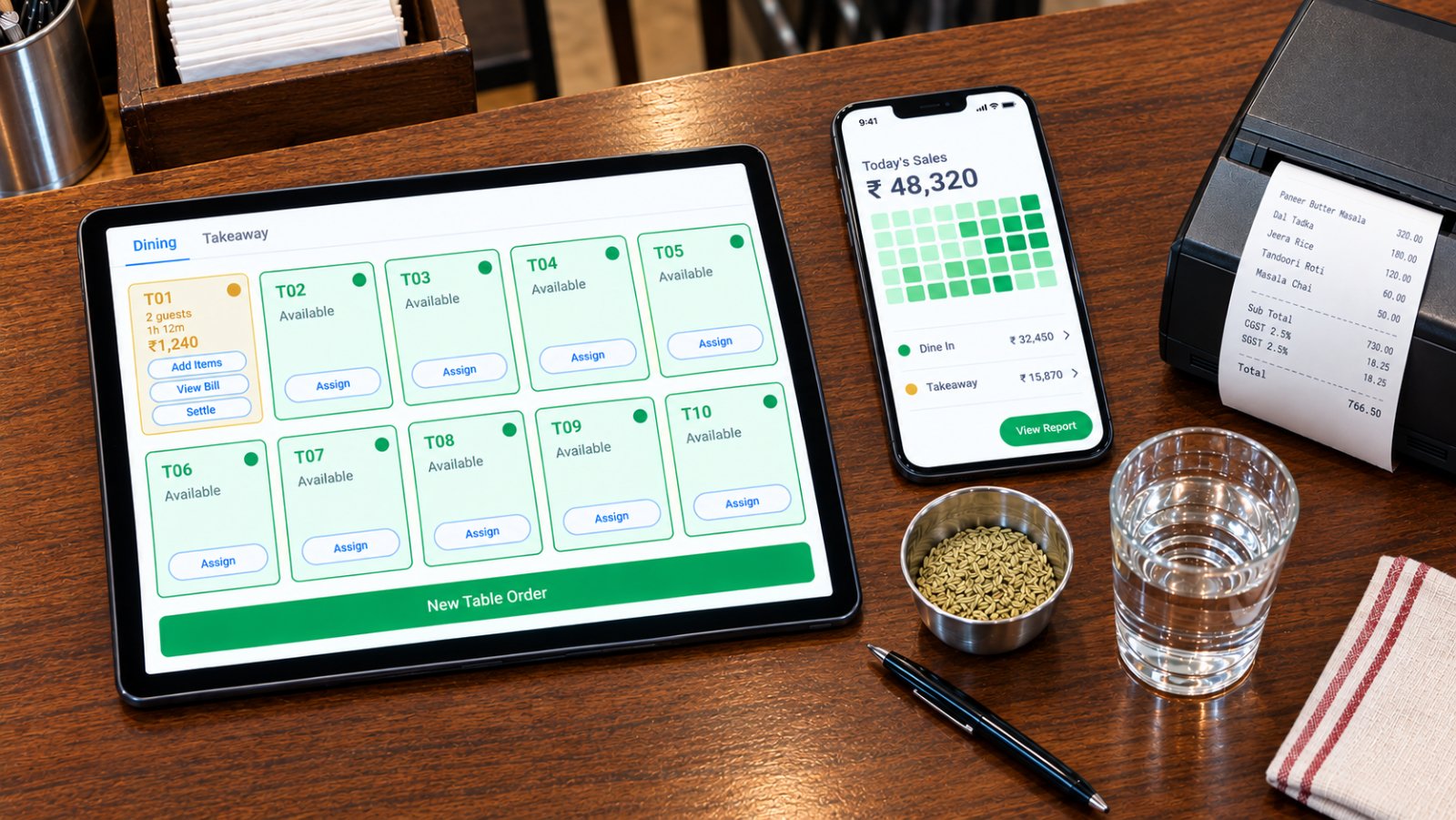
A table ordering system lets the guest place their own order from the table — not just read the menu, but send it to your kitchen. The order lands in your POS under the right table, fires a KOT to the right station, and joins the running bill.
This is the step most people miss. A digital menu that only displays items is a PDF with extra steps — the guest still has to catch someone's eye, which was the slow part all along.
| What the guest can do | Digital menu only | Table ordering system |
|---|---|---|
| Browse the menu | Yes | Yes |
| Place the order | No — needs a captain | Yes, from the table |
| Order reaches kitchen | After a captain re-enters it | Instantly, as a KOT |
| Running table bill | Captain builds it | Builds itself |
| Second rounds | Guest waits to be noticed | Guest taps |
If a vendor offers you a "digital menu", ask which column they mean. Plenty sell the left one at the price of the right.
In CurryIQ: QR ordering is the right-hand column — one order, one table, one invoice series.
How does QR code ordering work in a restaurant?
Follow one order from table to bill.
1. The guest scans the QR code on the table. It opens in their browser — no app, no sign-up.
2. They browse your live menu — current prices, current availability.
3. They order. The system knows which table, because the code is table-specific.
4. The KOT fires to the right station automatically.
5. The order joins the running table bill, so a second round an hour later goes on the same bill.
6. Your captain approves or edits, if you want that control.
7. The bill is raised at the counter, GST-correct, one invoice number.
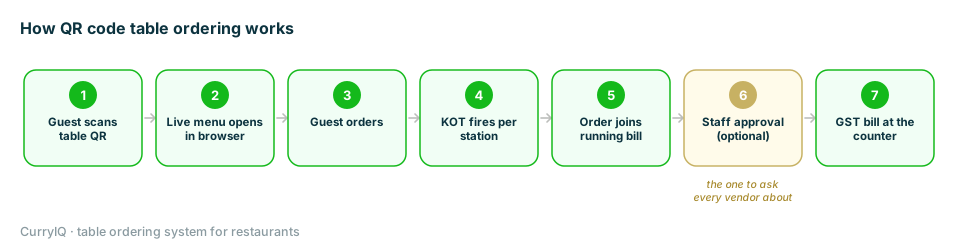
Seven steps. Step 6 is the one worth asking every vendor about.
Step 6 matters more than it looks. A system that sends guest orders straight to the kitchen with no staff check will eventually send through a mis-tap. Ask whether approval is optional — and whether you can switch it off later.
SEE IT ON YOUR OWN PHONE
Scan a live CurryIQ menu before you decide anything
The actual guest-side screen, on your phone, with a sample menu. Thirty seconds.
How QR code ordering increases restaurant revenue
It isn't that guests spend more on their first order — they place a second one. That single shift is where most of the lift comes from.
Think what normally has to happen for a table to order one more lassi. They decide they want it, wait for a free captain, catch their eye, wait again. Plenty of people give up somewhere in that chain, and that order never existed.
Take the waiting out and the second order becomes a tap.
Three smaller effects, all real. Tables turn faster, because the dead time waiting to order disappears. Descriptions do work a card can't — a guest who understands what's in the siddu is likelier to try it. Nothing gets forgotten, because the guest typed it, so fewer comped dishes.
Do the sum on your own restaurant rather than trusting anyone's percentage, mine included. Take a busy evening's covers. Assume one table in four adds a ₹150 item they wouldn't otherwise have asked for. For forty covers across two turns, that's about twenty extra items, ₹3,000 a day, roughly ₹90,000 a month — against software at ₹499.
That's arithmetic, not a promise. Your menu and your crowd decide the real answer.
What it won't do: fix a menu that's priced wrong, rescue a kitchen that already backs up at 8:30, or work on guests who won't scan. And it won't replace a good captain — the point is the same staff spending their evening on the parts of hospitality that need a person.
Digital menu vs digital menu board: which do you need?
These get confused constantly, and buying the wrong one is expensive.
A digital menu is on the guest's phone. They scan, browse and order. It costs almost nothing.
A digital menu board is a TV on your wall showing the menu. It's ₹25,000 upwards per screen, and guests still can't order from it.
If people queue at a counter and read a board above the till, the board earns its place. If they sit at tables, you want the phone version. Most Indian independents with tables need the phone one.
What does a digital menu cost in India?
| What you're paying for | Typical cost | Notes |
|---|---|---|
| Bundled with your POS | ₹0 – ₹500/month | The common route, and cheapest |
| Standalone QR menu tool | ₹300 – ₹1,000/month | Often display only, no ordering |
| QR stickers or table tents | ₹10 – ₹25 each | Get them laminated |
| Menu photography | ₹3,000 – ₹15,000 | Optional, easy to overspend on |
| Digital menu board (the TV) | ₹25,000+ per screen | Different product |
What moves the number: whether ordering is included or just display, and whether it's bundled with software you already pay for.
In CurryIQ: QR ordering starts on the ₹499 tier alongside billing, KOT and table management. It's the same order going into the same system, so charging twice for it never made sense to us.
SIMPLE, HONEST PRICING
₹499 a month, QR ordering included
No per-table fee, no bundled hardware, cancel anytime.
Do guests actually use QR menus in India?
Some do, some don't, and it depends on who eats at your place.
They use it when the group is younger, the restaurant is casual, and the menu opens fast. They don't when the table is older, the meal is formal, or the battery is at 4%. A family of eight at a wedding lunch is not scanning anything.
So keep printed menus — as a real option, not a fallback you're embarrassed by. The restaurants that make this work offer both.
One thing decides adoption more than anything else: how fast the menu opens. Six seconds on a weak connection and people ask for the card. Make any vendor open their menu on your phone, in your restaurant, on your network.
What to look for in a digital menu and table ordering system
1. No app for the guest. It must open in the browser. If they have to install something, most won't.
2. Table-specific codes, so the order knows it came from table 7.
3. It writes into your POS, not a separate inbox someone re-types from.
4. Live availability, so you can mark paneer tikka finished and have it vanish everywhere.
5. Staff approval you can switch off once you trust it.
6. What happens when the internet drops. The guest's phone needs a connection — unavoidable. Your billing shouldn't stop with it.
In CurryIQ: all six, and the sixth is the one I'd push hardest on with any vendor including us — billing keeps running offline and syncs on reconnect, so a dropped line costs you QR ordering for twenty minutes rather than the evening.
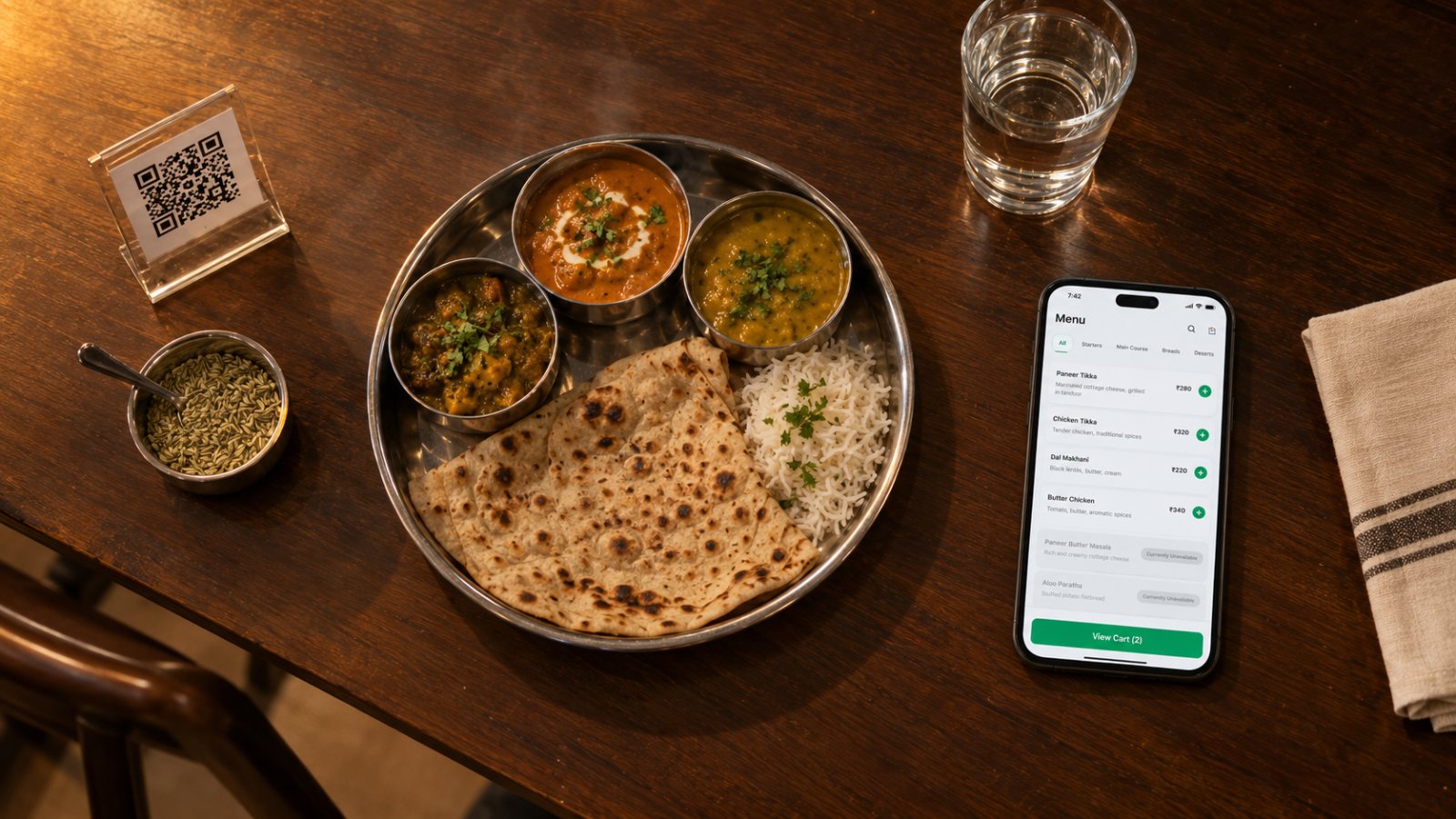
The code lives on the table. Everything else is software you already pay for.
FIFTEEN MINUTES, YOUR CHECKLIST
Bring these six questions to a live demo
We'll open the guest menu on your phone, mark an item unavailable while you watch, and pull the cable.
How to set up a digital menu in your restaurant
Setting one up takes an afternoon, not a project. Seven steps, in the order that saves rework.
1. Pick software that takes orders, not just displays the menu. Everything else rests on this, so decide it first.
2. Load your menu — and map GST per item in the same pass. You're typing every item anyway. Doing tax later means opening three hundred items again.
3. Generate one code per table, not one for the restaurant. This is the mistake I see most. A single code means every order arrives with no table number, and someone has to ask "who ordered this?" — the exact walk you were removing.
4. Print and laminate, with one line of instruction. Codes around 5cm square scan reliably from arm's length. Put "Scan to see today's menu and order" under it, because a bare code tells a guest nothing. Budget ₹15–₹25 a table.
5. Decide your staff approval setting before service. On for the first fortnight, so a captain sees every order before the kitchen does. It catches mis-taps while you're learning and stops your chef losing faith on day two.
6. Pilot one section for a week. Six tables, not sixteen. You'll learn fast whether guests scan, whether your connection holds at 8:30pm, and whether your captains use the time they get back.
7. Keep the printed cards.
Week one, honestly: about half your tables will scan and half will ask for a card. That's normal. Adoption climbs when staff start saying "you can order from your phone if you'd like" — which moves the number more than any setting in the software.
In CurryIQ: steps 1 to 3 happen in onboarding — we load your menu, map the tax rates with you and generate your table codes before you open. Steps 4 to 7 are yours, and step 7 is the one I'd hold you to.
Frequently asked questions
What is a digital menu for a restaurant?
Your menu hosted online and opened on the guest's own phone, usually by scanning a QR code at the table. It shows live prices and availability, and you update it yourself in seconds instead of reprinting cards.
What is a table ordering system for restaurants?
It lets guests place their own order from the table. The order goes into the restaurant's POS under the right table number, fires a KOT to the kitchen, and joins the running bill — no captain re-entering it.
How do I set up a digital menu for my restaurant?
Pick software that takes orders rather than only displaying the menu, load your menu and map GST per item in the same pass, generate one QR code per table, print and laminate them with a one-line instruction, turn staff approval on for the first fortnight, and pilot one section of the floor for a week. It takes an afternoon.
How much does a digital menu cost in India?
Usually ₹0–₹500 a month bundled with your POS, plus ₹10–₹25 per QR sticker. Standalone tools run ₹300–₹1,000 a month but often only display the menu. CurryIQ includes QR ordering from the ₹499 tier.
Do guests need an app to use a QR menu?
They shouldn't. A good system opens in the phone's browser. If a guest has to install an app, most won't bother and the feature goes unused within weeks.
What's the difference between a digital menu and a digital menu board?
A digital menu is on the guest's phone and they can order from it. A digital menu board is a TV screen on your wall — ₹25,000 and up per screen, and guests can't order from it.
Can guests order without the internet?
No — their phone needs a connection to load the menu. But your billing should keep working regardless. Ask any vendor to demonstrate that rather than describe it.
BUILT IN INDIA, FOR INDIAN RESTAURANTS
Start free — QR ordering, billing and KOT on one system
Guests order from their phones, orders land under the right table, KOTs fire to the right station. Free onboarding, cancel anytime.
Keep reading
Ready to try CurryIQ?
Start free. No credit card required. Setup in 10 minutes.